Doodle Saver1.0
Publisher Description
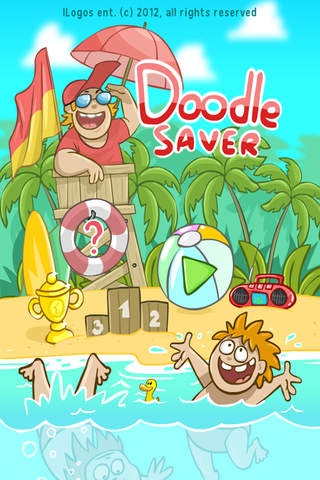
Hooray! Vacation! The whole office is having rest on the sea! Swim, swim and swim again! The true thing is, someone is not so good at swimming but fearless rescuer is on the guard all the time! It's you! Look after the swimmers, beware. Help those who swims bad! The love of savee and a lot of bonuses will be given to you as a reward. Be the best!
In the game you will face different challenges.
You should avoid bombs - they explode! Octopus is not friendly! Repel the arrogant sharks, they always follow the swimmers. Dolphin - loves to play with the lifebuoy but doesn't return it. Diver and Neptune will help you be a better lifeguard :) The Pirate chest can give you a super bonus!
Excellent graphics, funny and joyful characters, nice music and interesting game - these will bring you much fun!
Save as much as possible swimmers, become the best!
iLogos ent.
Requires iOS 3.0 or later. Compatible with iPhone, iPad, and iPod touch.
About Doodle Saver
The company that develops Doodle Saver is iLogos inc.. The latest version released by its developer is 1.0.
To install Doodle Saver on your iOS device, just click the green Continue To App button above to start the installation process. The app is listed on our website since 2012-05-02 and was downloaded 3 times. We have already checked if the download link is safe, however for your own protection we recommend that you scan the downloaded app with your antivirus. Your antivirus may detect the Doodle Saver as malware if the download link is broken.
How to install Doodle Saver on your iOS device:
- Click on the Continue To App button on our website. This will redirect you to the App Store.
- Once the Doodle Saver is shown in the iTunes listing of your iOS device, you can start its download and installation. Tap on the GET button to the right of the app to start downloading it.
- If you are not logged-in the iOS appstore app, you'll be prompted for your your Apple ID and/or password.
- After Doodle Saver is downloaded, you'll see an INSTALL button to the right. Tap on it to start the actual installation of the iOS app.
- Once installation is finished you can tap on the OPEN button to start it. Its icon will also be added to your device home screen.
